Plugindex

Plugindex for Windows

Your whole plugin library, organized for you, and on the selected track in your DAW with a click or a key.

14 days of Pro, then Free. No account, no card. Windows 10 or 11, 64-bit.

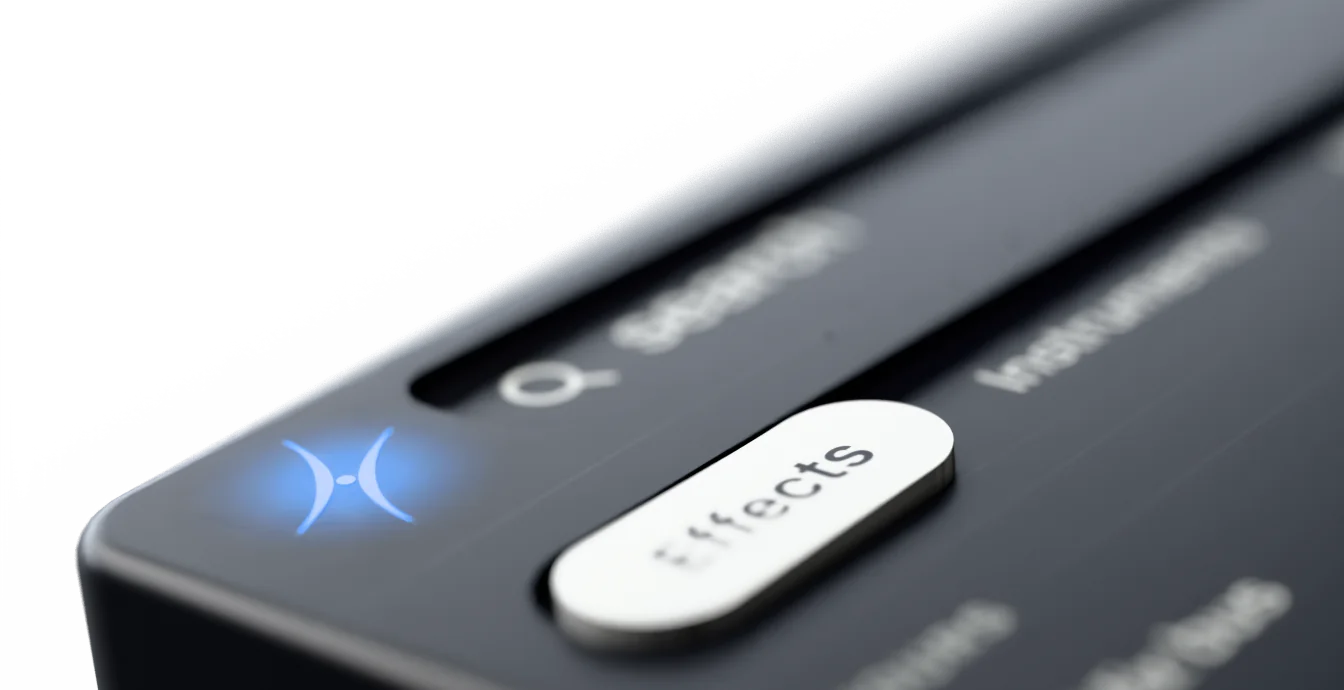
The corner of the Plugindex window: its mark lit blue, the search field, and the Effects tab.

How Windows keeps your plugins

On Windows your plugins are files in folders, and each DAW finds them for itself.

The VST3 folder

One set place

VST3 plugins have a set place on Windows: Program Files, then Common Files, then VST3. A DAW that loads VST3 expects them there and scans that folder when it starts.

The scan

Each DAW does its own

Your DAW scans for plugins and keeps its own list of what it found: Live's browser, FL Studio's Plugin database, Cubase's Plug-ins page in Settings, REAPER's FX browser.

The sorting

Stays in each DAW

The favorites, folders, tags or collections you build in one DAW stay in that one. A second DAW starts from its own list.

How each DAW keeps plugins, in its own manual's terms: Ableton Live, FL Studio, Cubase, Bitwig Studio, REAPER and Studio Pro.

Everything you own, already organized.

Plugindex is a cross-DAW plugin browser for Mac and Windows. It visualizes and automatically organizes your entire plugin library, then loads any plugin onto the selected track in a click.

It starts from what your DAW found

Plugindex fills in your library from each DAW's own plugin list, so every plugin your DAW can load shows up in Plugindex. It photographs each plugin's window for you, on your PC. It does not install or update plugins.

Filter by what it does

Compressors, limiters, reverbs, delays: sorted for you, down to the type, across every maker. Or type a few letters of a name or a maker and the grid comes down to it.

A click or a key puts it on the track

Click a plugin, or press the key you gave it, and it lands on the track you have selected in your DAW, without you opening a menu or a browser. In Maschine you drag it onto a pad, a Sound or a slot. Plugindex detects the DAW that is running and shows only what it can load.

Where it lands is each DAW's own. An effect lands on the selected mixer insert in FL Studio, and at the end of the selected track's FX chain in REAPER.

The same key in each DAW

Give a plugin a key once. The same key loads it in your other DAWs, wherever that plugin is installed. One license covers Mac or Windows, and Pro for two computers is $149 once.

Plugindex across more than one DAW

Which DAWs work on Windows

Ten of the twelve DAWs Plugindex works with. A license is for the computer, so it covers every DAW on it.

Works on Windows

Ten DAWs

Ableton Live 11 and 12, FL Studio 2024 or later, Cubase and Nuendo 15 or later, Bitwig Studio, REAPER, Fender Studio Pro 8, Studio One 7, Maschine 3 and Digital Performer.

Not on Windows

Logic Pro and Pro Tools

Logic Pro is Mac only. Pro Tools works on the Mac, and on Windows it is still in progress. Studio One 6 and earlier, and the free Fender Studio app, do not work.

Your PC

Windows 10 or 11, 64-bit

Free stays free, with 75 loads a week and 3 mapped keys. Pro is $99 once for one computer, or $149 for two.

See pricing

The compatibility chart has it host by host, Mac beside Windows.

Set up once, in three steps.

Once per DAW, and the app walks you through it. Windows asks you for no permissions.

  1. Install Plugindex and open Setup & connection It is in the Plugindex menu. It shows one step at a time for the DAW you are in. Live, Cubase, Nuendo, FL and Bitwig take a small Plugindex script, installed for you. Ableton Live Choose Plugindex as a Control Surface, under Options, Preferences, Link, Tempo & MIDI. Bitwig Studio Add Plugindex once in Settings, Controllers. There is no MIDI port to make. REAPER Nothing to install. Open REAPER without Run as administrator, or Plugindex can't reach it.
  2. FL Studio, Cubase, Nuendo and Studio Pro: add a MIDI port in loopMIDI On Windows these four take their loads over a MIDI port, and Windows can't make one by itself. loopMIDI is a free app that does. Press Get loopMIDI on the row, install it and open it, then type Plugindex in the name field at the bottom and press +. FL Studio Quit FL and open it again: FL only finds MIDI ports when it starts. Then turn Plugindex on in FL's MIDI settings. Studio Pro It listens on a second port named Plugindex Studio Pro. Plugindex can add both for you.
  3. Press Index Plugindex fills in your library from your DAW's own plugin list and makes a picture of each plugin.

loopMIDI on Windows, step by step

Every step and fix for your DAW

About loopMIDI

Keep it running

The port only exists while loopMIDI runs, so keep it open in the background. After your PC restarts, Plugindex starts loopMIDI for you. Cubase and Nuendo pick the port up without a restart. Ableton Live, Bitwig Studio and REAPER don't need it.

Questions people ask

Is Plugindex a plugin manager for Windows?

It is the plugin manager that loads. It organizes the plugins you have installed and puts any of them on the selected track. It does not install or update plugins: a manager that looks after the files does that job, and the two run side by side. See how Plugindex compares.

Does it find all my VST plugins?

It adds what your DAW has found, so every plugin your DAW can load shows up in Plugindex. Installed a plugin since? Let your DAW find it first, then choose Check for new plugins (after installs) from the Plugindex menu.

How do I load plugins faster in FL Studio on Windows?

With FL Studio 2026, turn on Load plugins into FL instantly in Setup & connection. Press Turn on and say Yes when Windows asks about Plugindex. It is optional. The FL Studio help has every step and fix.

Why does it need loopMIDI?

FL Studio, Cubase, Nuendo and Studio Pro take their loads over a MIDI port on Windows, and Windows can't make one by itself. loopMIDI is a free app that does. Ableton Live, Bitwig Studio and REAPER don't need it.

Does it work on Windows on ARM?

Plugindex is for Windows 10 or 11, 64-bit. Studio Pro can't be reached on Windows on ARM yet: its loads go through loopMIDI, which doesn't install there.

Is the Windows installer safe?

It is signed by DE Productions LLC, the company that makes Plugindex. Is Plugindex safe? says how it is signed, what to do if SmartScreen or an antivirus objects, and how to uninstall it.

Download Plugindex

Free keeps your whole library, with 75 loads a week and 3 mapped keys. Pro is $99 once for one computer, or $149 for two, for unlimited loads and keys.

Download Free

14 days of Pro first. No account, no card. Windows 10 or 11, 64-bit. See pricing